Reading the Order Book
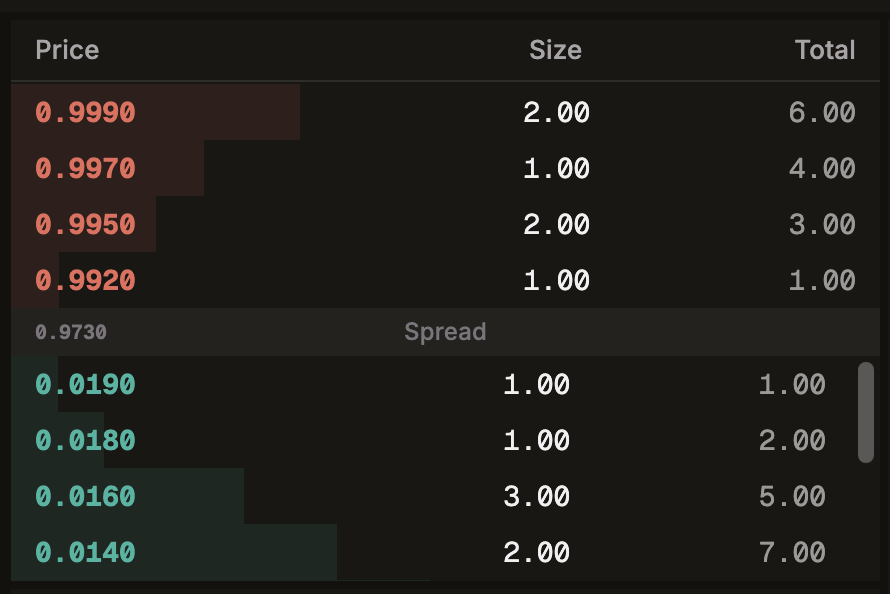
The order book shows all open buy and sell orders for the currently selected instrument. It gives you a real-time view of market supply and demand at each price level.
What is an Order Book?
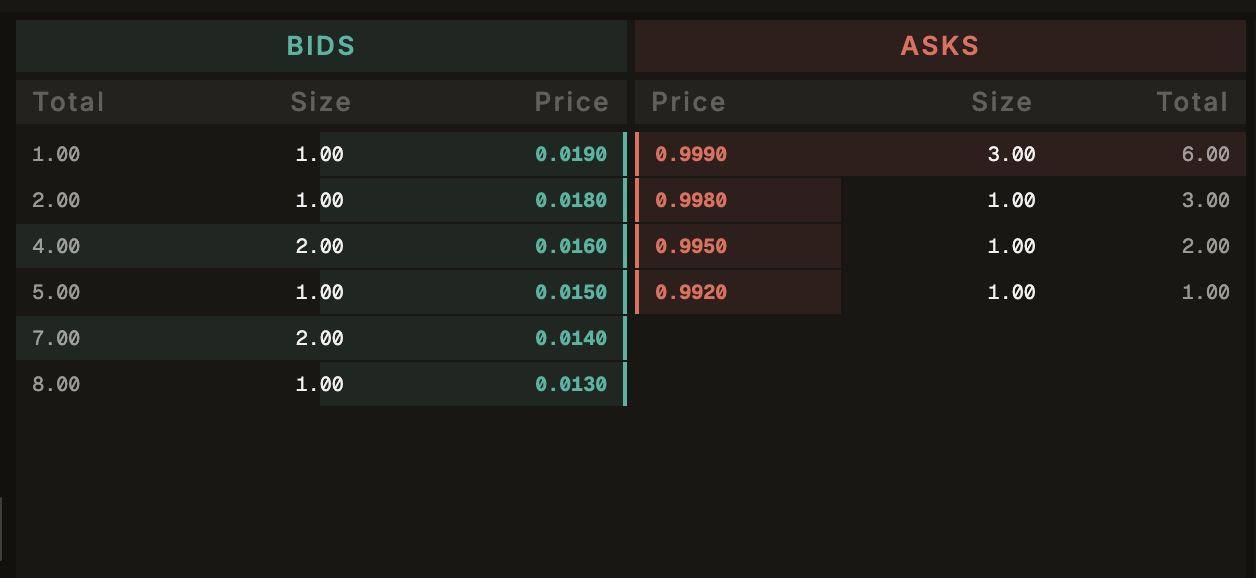
An order book is a list of all outstanding orders waiting to be filled. It has two sides:
- Bids (Buy orders): Prices at which traders are willing to buy
- Asks (Sell orders): Prices at which traders are willing to sell
How to Read It
The Ask Side (Sellers)
The top half of the order book shows sell orders, sorted with the lowest price at the bottom (closest to the center). Each row shows:
| Column | Meaning |
|---|---|
| Price | The price at which contracts are being offered |
| Quantity | Number of contracts available at this price |
| Cumulative | Total contracts available at this price and below |
The depth bars behind the rows visually represent the relative quantity at each level.
The Spread
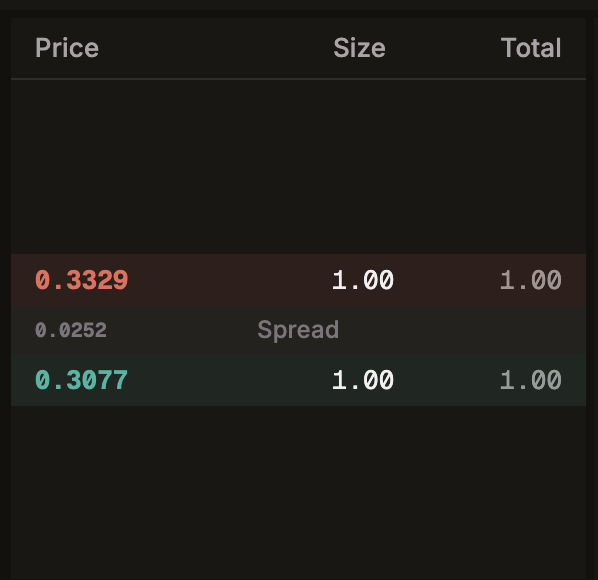
The center of the order book shows:
- Spread: The difference between the lowest ask and the highest bid
- Mid Price: The average of the best bid and best ask
A tighter spread generally means a more liquid market.
The Bid Side (Buyers)
The bottom half shows buy orders, sorted with the highest price at the top (closest to the center). Same columns as the ask side.
Key Prices
| Term | Definition |
|---|---|
| Best Ask | The lowest price someone is willing to sell at. This is what you'd pay for a Market Limit buy. |
| Best Bid | The highest price someone is willing to buy at. This is what you'd receive for a Market Limit sell. |
| Spread | Best Ask minus Best Bid. Smaller = more liquid. |
| Mid Price | (Best Bid + Best Ask) / 2. A rough "fair value" estimate. |
Clicking on Prices
You can click on any price level in the order book to automatically fill the limit price field in the order form. This also switches your order type to Limit if it isn't already.
This is a convenient way to place orders at prices where you can see existing liquidity.
Real-Time Updates
The order book updates in real-time via WebSocket. As new orders are placed, cancelled, or filled, the book reflects changes instantly.
The order book displays the top 15 levels on each side by default. There may be additional orders at deeper price levels not shown.
Understanding Depth
Depth refers to the total quantity of contracts available at each price level and cumulatively across all visible levels.
- Deep market: Many contracts at many price levels. You can trade larger quantities without significantly moving the price.
- Shallow market: Few contracts or wide gaps between levels. Large orders may face slippage (worse execution prices).