
Understanding Your Wallets
Gambit uses a three-wallet system to separate your funds by purpose. This keeps your trading capital, funding balance, and vault deposits organized and secure.
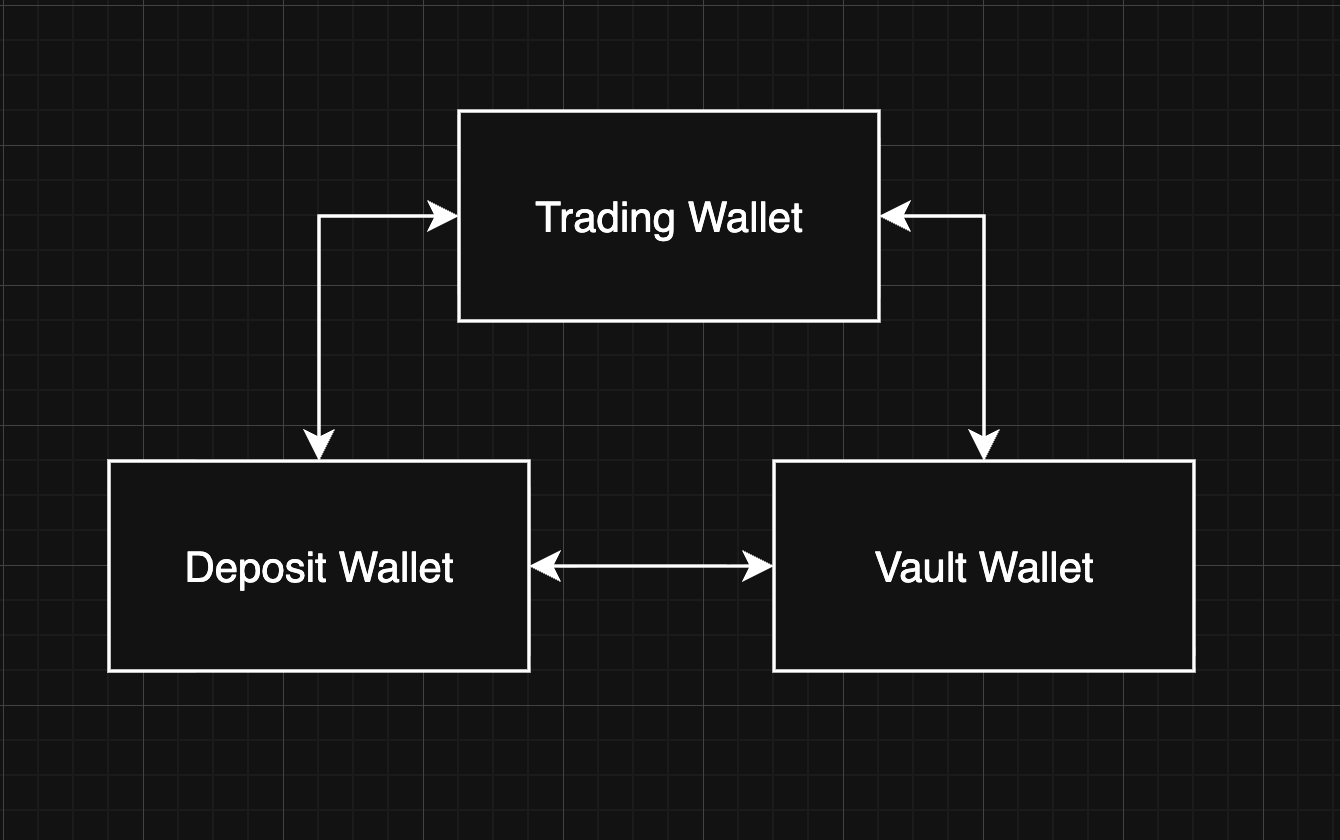
The Three Wallets
1. Deposit Wallet
Your funding wallet. This is where money enters and exits the platform.
- Deposits from the blockchain land here
- Withdrawals to external addresses go out from here
- You cannot trade directly from this wallet
- Tracks your cumulative deposits and withdrawals
Think of it as your bank account on the platform. Money comes in and goes out through here.
2. Trading Wallet
Your trading wallet. This is the wallet used for placing prediction orders.
- Funds must be transferred here from the Deposit Wallet before you can trade
- Available Balance is what you can use for new orders
- Reserved Balance is locked in open sell positions and resting orders
- Displays your current fee tier, taker fee, and maker fee rates
Think of it as your trading account. Only funds here can be used to buy or sell contracts.
3. Vault Wallet
Your Vault Liquidity Wallet. This is used to provide liquidity to vaults.
- Funds must be transferred here from the Deposit Wallet before you can deposit into a vault
- Tracks your vault stakes (active deposits)
- Shows pending deposit/withdrawal requests
- Displays total asset value across all vault positions
Think of it as your vault account used to provide liquidity to vault strategies.
Balance Types Explained
Each wallet tracks two balance categories:
| Balance Type | Meaning |
|---|---|
| Available Balance | Funds you can freely use (trade, transfer, or withdraw) |
| Reserved Balance | Funds locked in open orders, active positions, or pending requests |
Total Balance = Available Balance + Reserved Balance
You have $500 in your Trading Wallet. You place a buy order for 200 contracts at $0.50 each. The platform reserves the order cost ($100) plus a fee based on the quantity (200 x fee rate). Your Available Balance decreases by the total reserved amount, and your Reserved Balance increases by the same. If the order is cancelled, the full reserved amount returns to your Available Balance. If the order fills and the actual fee is lower than the reserved fee, the excess is refunded.
Account Overview
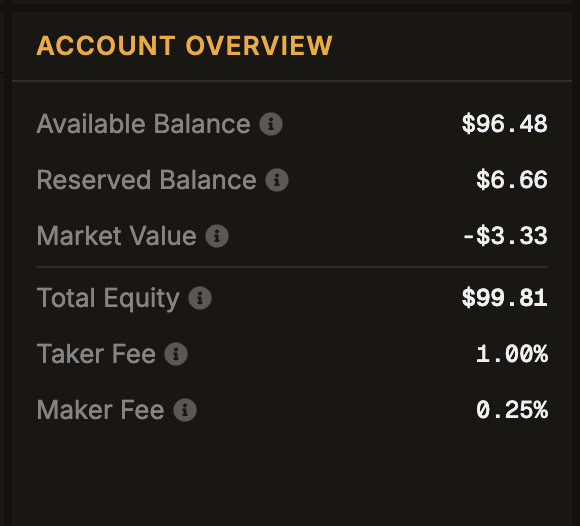
The Account Overview panel on the trading page shows your Trading Wallet at a glance:
| Metric | What It Shows |
|---|---|
| Available Balance | Funds in your Trading Wallet available for new orders |
| Reserved Balance | Funds locked in open sell positions and resting orders |
| Taker Fee | Your current taker fee rate (applied to Market Limit orders) |
| Maker Fee | Your current maker fee rate (applied to Limit orders) |
| Total Equity | Available Balance + Reserved Balance |
Total Equity reflects your Trading Wallet only. It does not include your Deposit Wallet or Vault Wallet balances.
How Funds Flow Between Wallets
Blockchain (USDC)
       |
       v
  Deposit Wallet  <--- Withdrawals go out from here
       |
       +----------> Trading Wallet ---> Trade
       |
       +----------> Vault Wallet  ---> Deposit into vaults
Key rules:
- You can only deposit/withdraw from the Deposit Wallet
- You can transfer freely between any two wallets
- Trading requires funds in the Trading Wallet
- Vault deposits require funds in the Vault Wallet
- All transfers between wallets are instant and free
Real-Time Balance Updates
Your wallet balances update in real-time via a private WebSocket connection. You don't need to refresh the page. When you:
- Place or cancel an order, your Available and Reserved balances update immediately
- Receive a deposit confirmation, your Deposit Wallet balance updates automatically
- Have a position settle, the proceeds appear in your Trading Wallet instantly
If you see a momentary flicker in balance, this is the system reconciling real-time incremental updates with full state snapshots. Your final balance is always accurate.